
One platform for planning, tracking, and proof.
Chronum isn't a time tracker with reports bolted on. It's a governed timeline: what was planned, what happened, what was reviewed, and what can be proven — for SaaS, hybrid, and on-premise deployments from one platform.
Twelve chapters, in the order a team actually works through them. Every screenshot below is a real capture from the product.
Getting started
Sign-in supports SSO and MFA. A role-specific setup checkpoint runs once before the app opens, so a new user confirms their tracking and privacy settings before any data is captured.
- 1Sign in with email, SSO or an MFA challenge
- 2Confirm the role-specific first-time setup checkpoint
- 3Land on a dashboard scoped to your role

Task planning
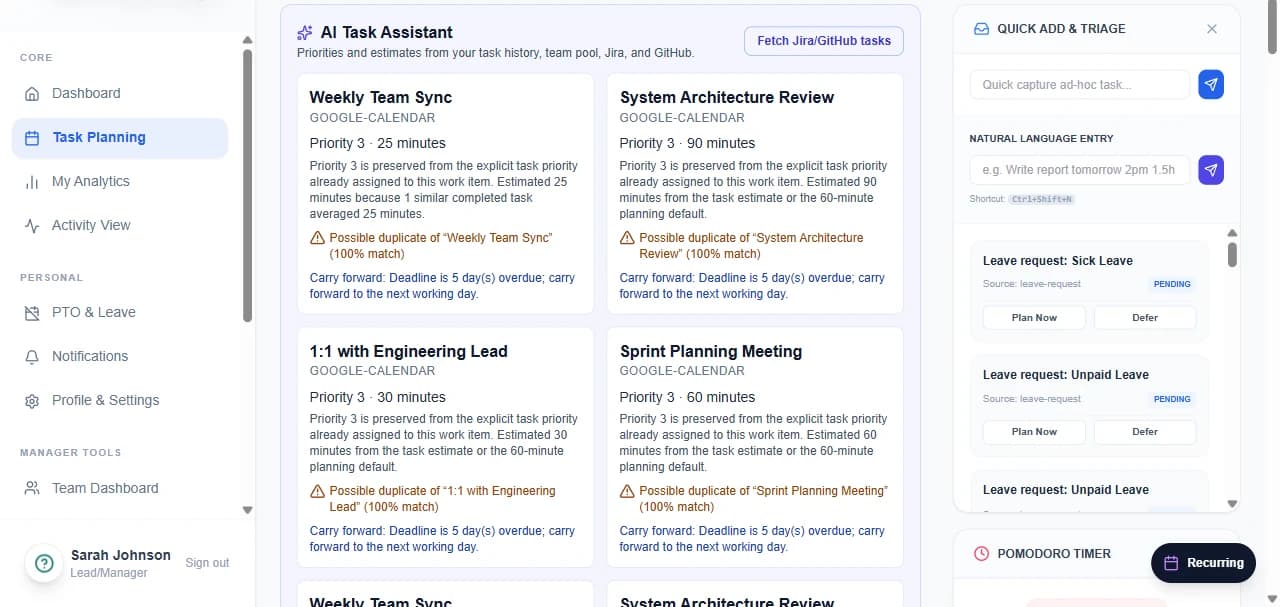
The day starts with an explicit plan. Tasks carry effort estimates, priorities and carryover, and arrive from Jira, GitHub, calendar imports, natural language, or a Git repository's open pull requests.
- 1Open the planner board for the day or week
- 2Add tasks manually, by natural language, or import from Jira / GitHub / calendar
- 3Set effort, priority and sequence; triage anything captured ad hoc
- 4Use the ⌘K command palette to move without leaving the keyboard
Time and activity
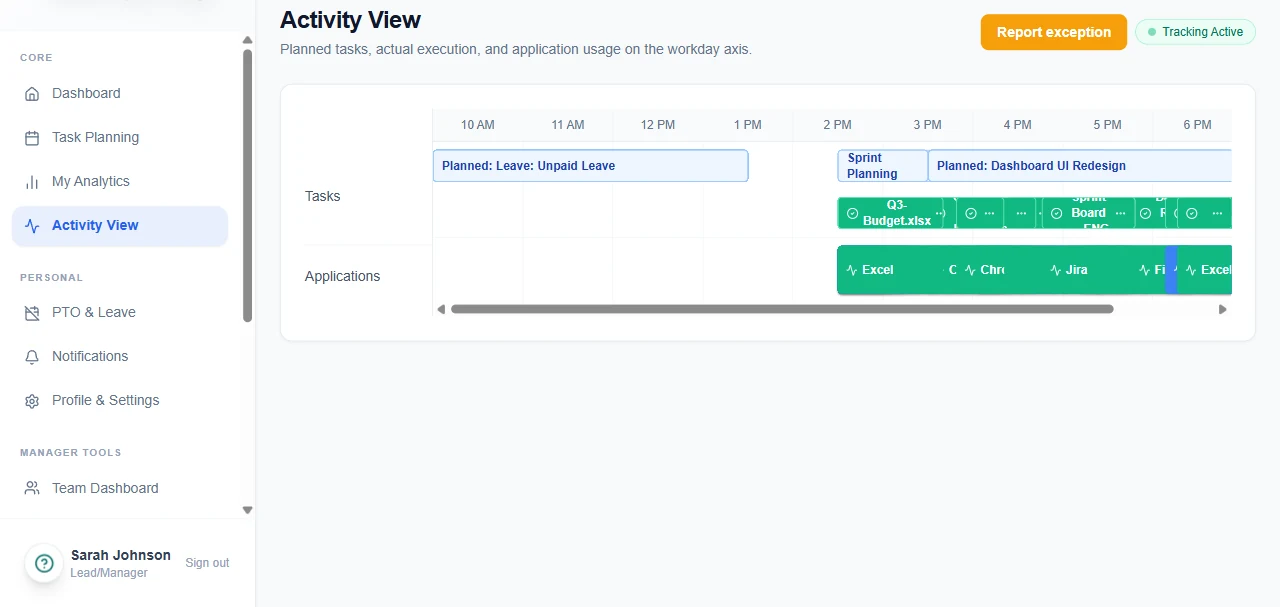
The agent captures foreground application, window and URL-level context, with idle and focus detection, and queues locally when offline so nothing is lost on a flaky connection.
- 1Review tracked activity for the day on the workday axis
- 2Compare it against the plan in the reconciliation view
- 3Submit an exception for anything the agent could not capture
Reconciliation
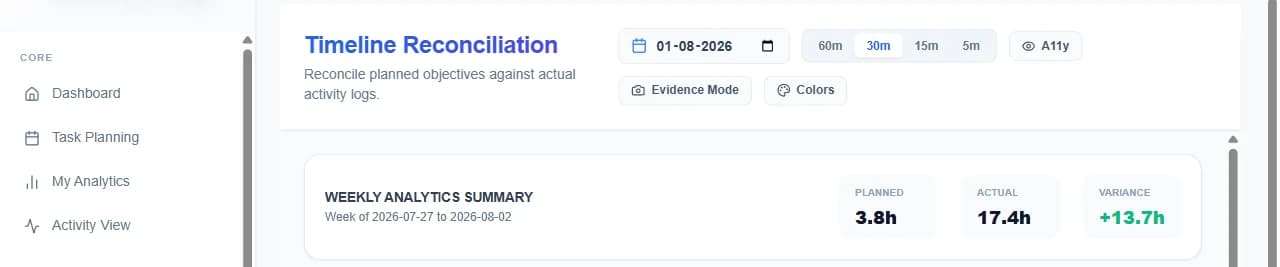
The planned-vs-actual timeline is the product's centre of gravity. Variance is surfaced rather than absorbed, and every correction carries a before/after diff into an approval.
- 1Open the reconciliation timeline for a chosen day
- 2Zoom to 60, 30, 15 or 5-minute slots
- 3Move, resize, slice or merge actual blocks to correct them
- 4Submit the correction with a justification — it routes to a manager
Approvals
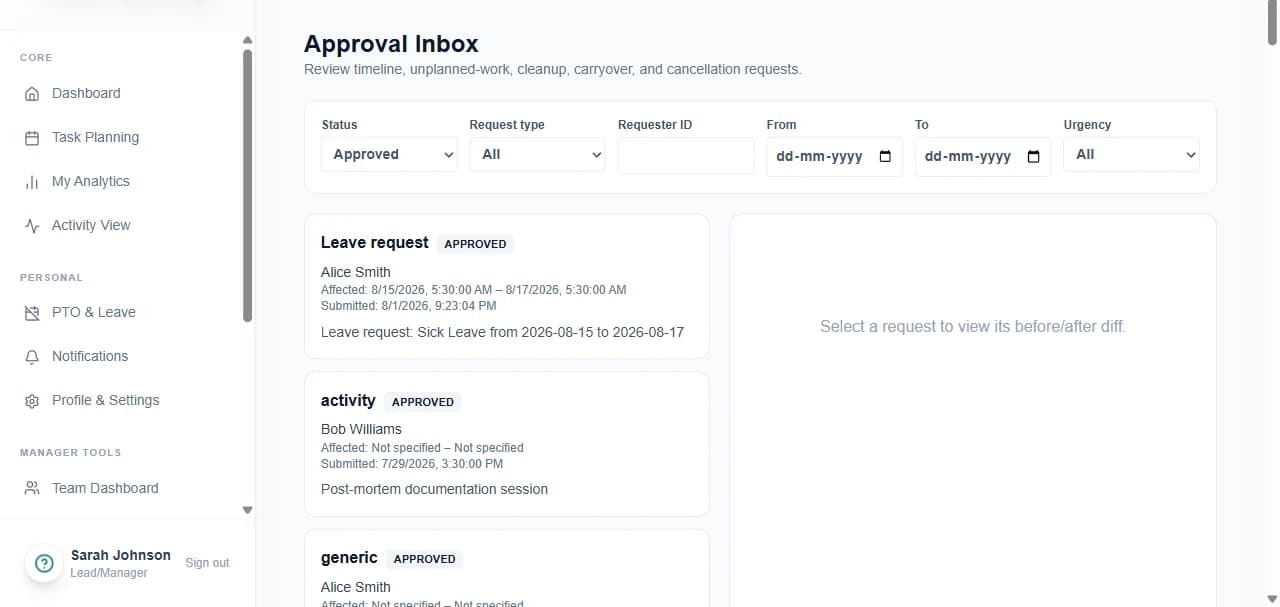
Timeline edits, unplanned work, leave, cleanup and deferral all land in one manager inbox with SLA reminders, escalation and delegated approvals for holiday cover.
- 1Review the queue filtered by status, type, requester or urgency
- 2Open a request to see its before/after diff
- 3Approve, or reject with a mandatory comment
- 4Delegate approvals to a proxy for a date range when away
PTO and leave
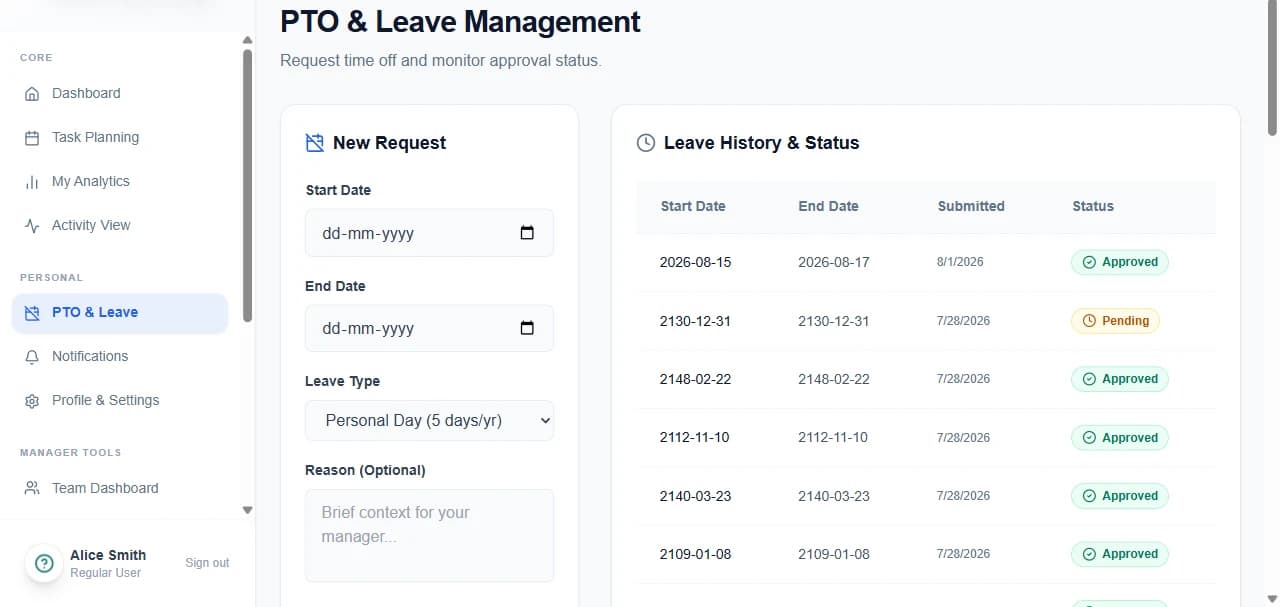
Leave requests validate against balances and overlapping bookings before submission, then route to the manager. Approved dates create locked blocks in the planner automatically.
- 1Pick dates, leave type and an optional handover note
- 2Balance and overlap rules validate before the request is accepted
- 3Track status through the approval workflow
- 4Approved dates block the planner and suppress planning prompts
Analytics and reporting
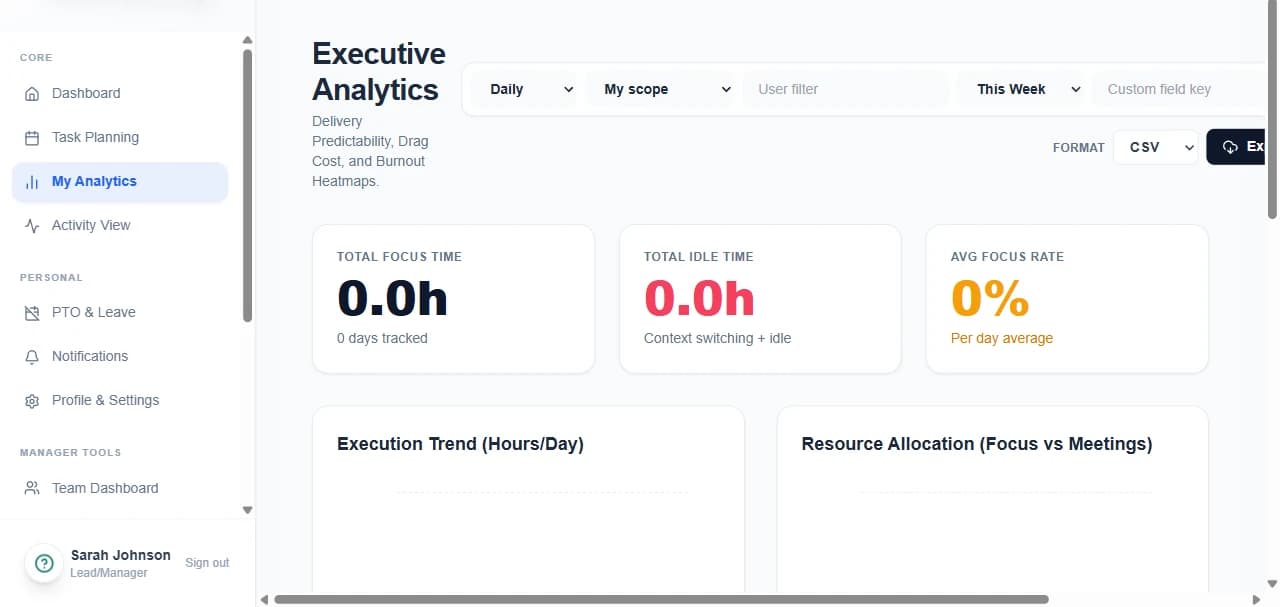
Personal and executive analytics over focus, idle, effort leakage and task completion, with drill-down to individual task logs and export in CSV, XLSX, JSON, PDF or XML.
- 1Switch between daily, weekly and monthly snapshots
- 2Filter by date range, team, user, project or custom field
- 3Drill from a KPI card into the underlying task logs
- 4Export in any of five formats, or schedule a recurring export
Manager tools
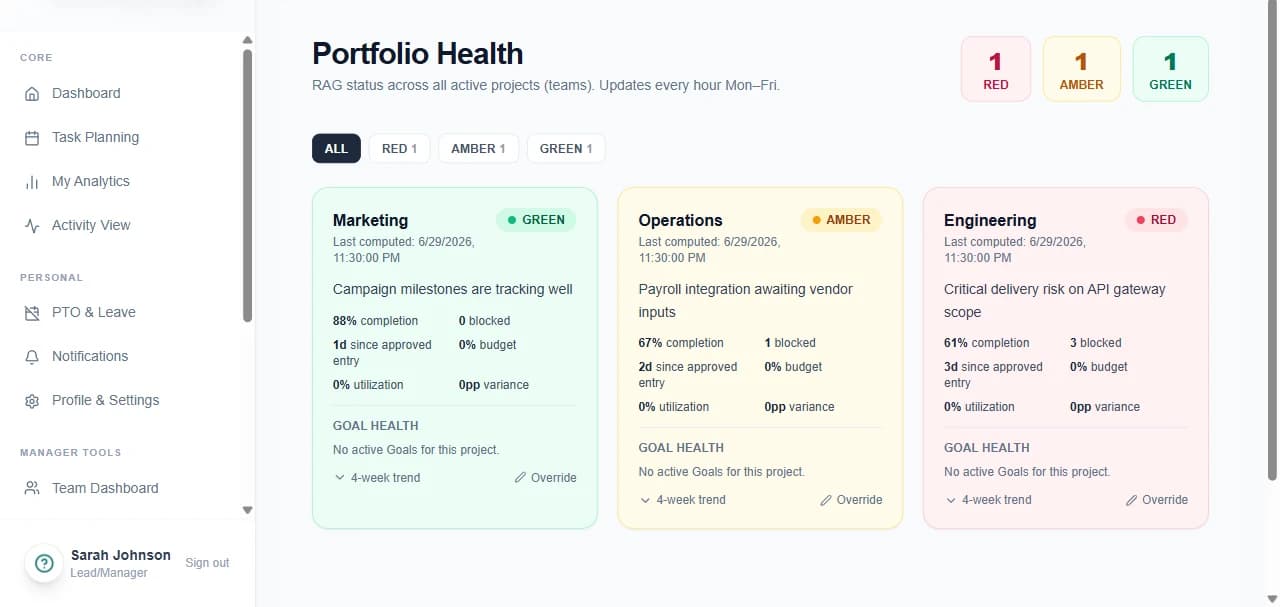
Team dashboard, calendar, resource management, escalations, portfolio health, skills intelligence, a work-graph dependency map, and two AI planning surfaces — capacity forecast and digital twin.
- 1Review team plan submission, workload and focus at a glance
- 2Model a workload change in the Digital Twin before committing to it
- 3Run an AI capacity forecast across members and weeks
- 4Override a project's RAG status with a recorded justification
Audit and compliance
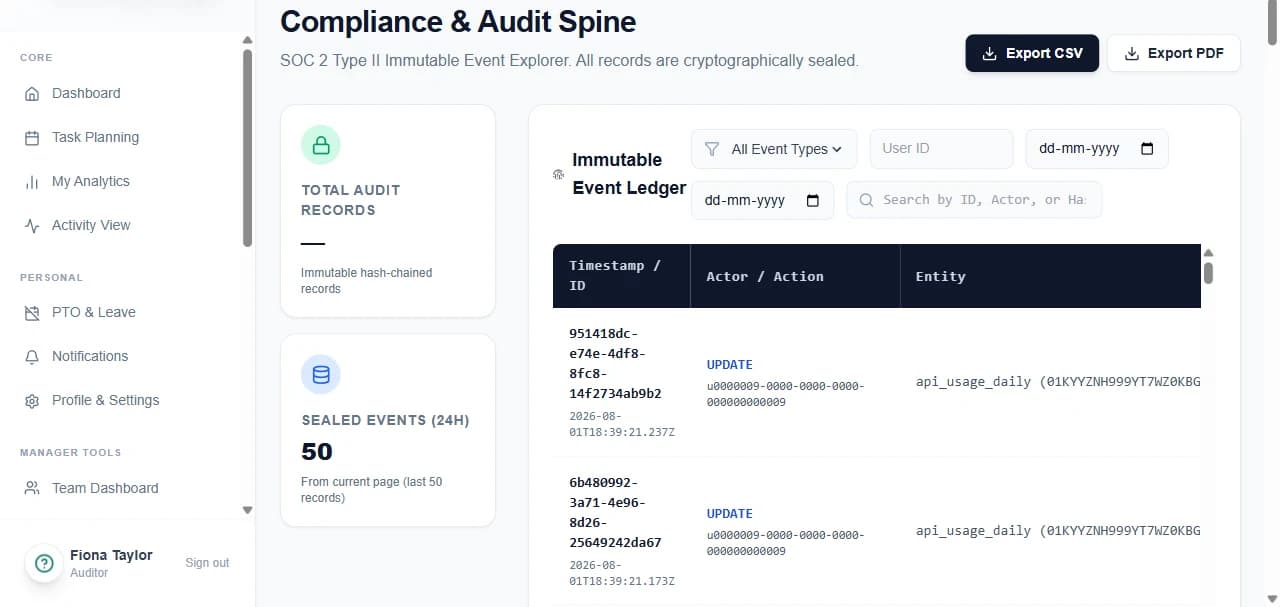
An append-only, hash-chained audit spine records every user action, system action and configuration change — queryable by actor, action type, entity and date range, and answerable in plain English.
- 1Search the spine, or filter by action type and date
- 2Verify hash-chain integrity across records
- 3Ask the natural-language audit query a question directly
- 4Produce evidence packs and apply legal hold for e-discovery
Administration
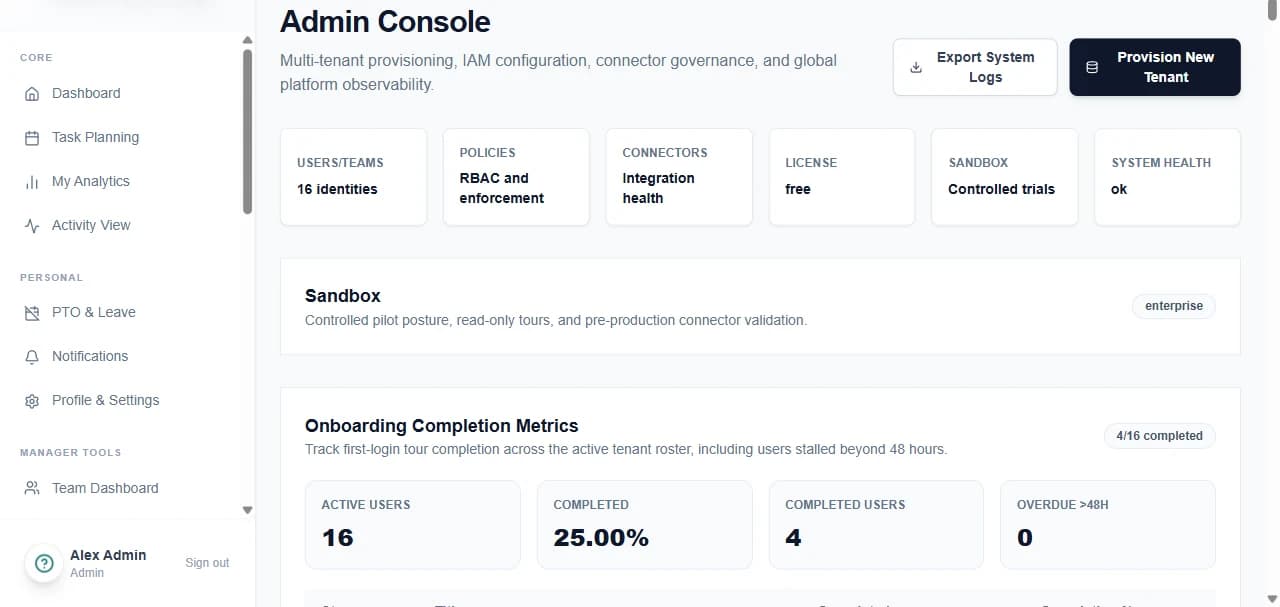
Organisation and team hierarchy, RBAC and custom roles, policy editing with sandbox testing, custom fields, device ledger, shadow-IT detection, AI engine status, support centre and billing.
- 1Assign roles and permissions per user, or in bulk by CSV
- 2Edit policy and test it in a sandbox before publishing
- 3Define custom fields and forms for tasks and reports
- 4Monitor the device ledger, connector health and AI engine status
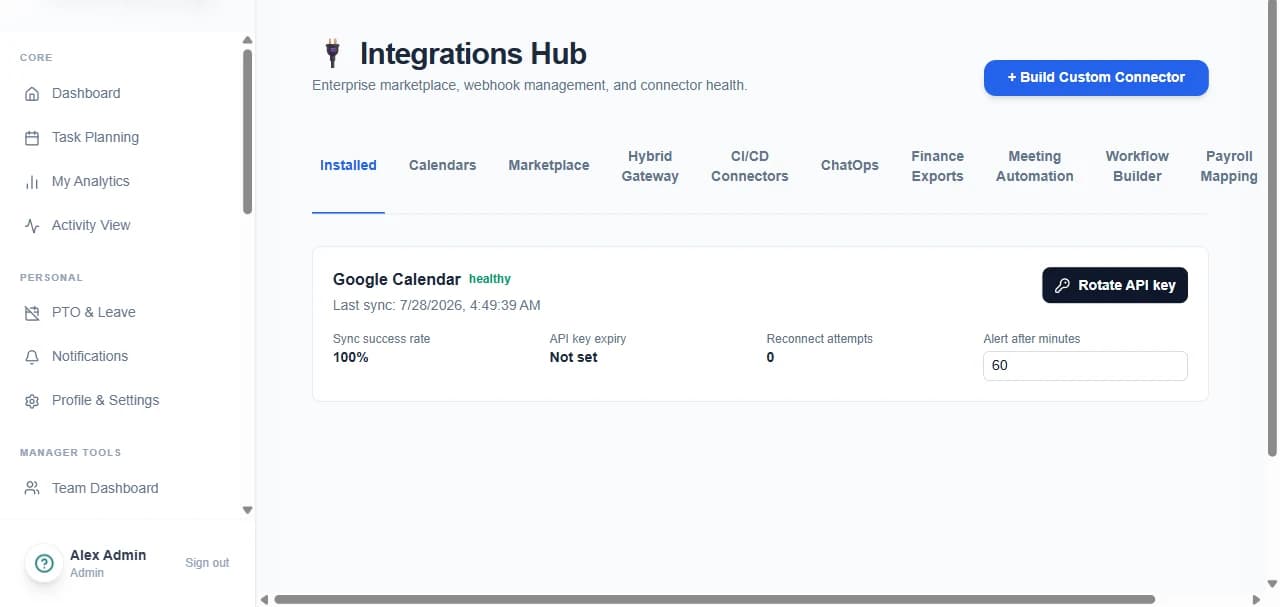
Integrations and automation
Native Jira, GitHub, Slack and calendar connectors, OAuth setup, a marketplace, meeting-to-task automation, a visual workflow builder, payroll mapping, and API keys with webhooks.
- 1Connect a calendar, issue tracker or chat workspace via OAuth
- 2Map payroll and billing codes to task categories
- 3Build automation rules visually, or install a pre-built recipe
- 4Issue API keys and subscribe webhooks for your own systems
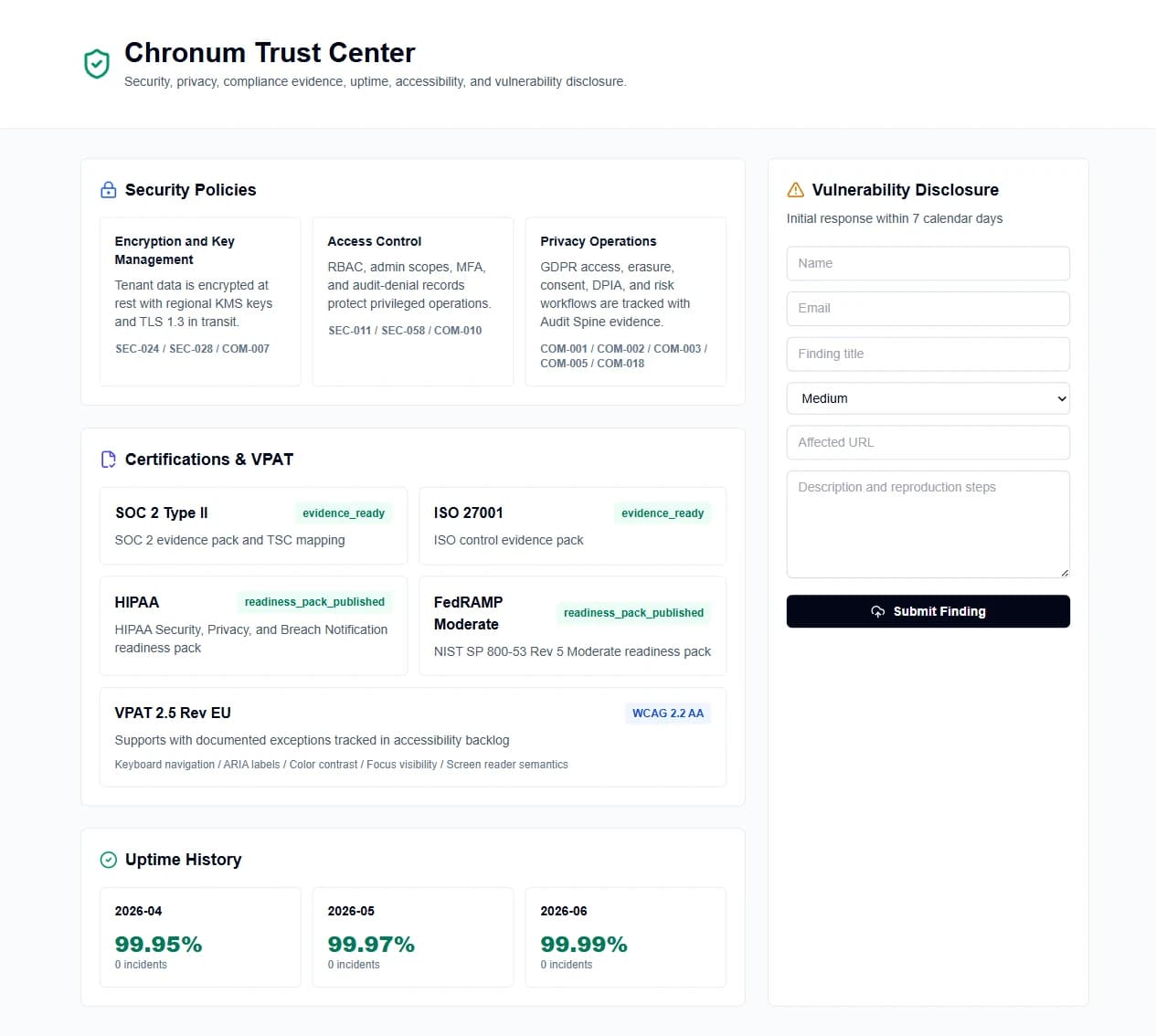
Settings, security and public surfaces
Per-user preferences, MFA enrolment, AI decision review, quiet hours and localisation — plus the Transparency Panel, a public trust centre, a live status page and a token-gated client portal.
- 1Set theme, localisation, focus mode and quiet hours
- 2Enrol MFA and download single-use recovery codes
- 3Review everything recorded about you in the Transparency Panel
- 4Request human review of any AI decision that affected you
Planned vs actual, side by side
An illustrative week — planned blocks against what was actually tracked, with one exception routed to approval.
What sits behind each surface
The nine modules that make up the platform, and what each is responsible for.
Planning
A mandatory daily and weekly plan is the starting point for everything else. Tasks, effort estimates, priorities, locked manager assignments, and carryover of incomplete work keep the plan honest — with natural-language task entry, recurring tasks, planner templates, and focus sessions for the people doing the work.
Activity tracking
The desktop agent, web app, and integrations capture real work signal: foreground application and window context, browser activity with policy-controlled depth, idle and focus detection, and offline-first local queuing so nothing is lost on a flaky connection.
Screenshots, done right
Screenshots are policy-triggered, not interval-based — captured only when a defined policy calls for it, redacted before storage, encrypted, access-controlled by role, and every capture, view, and deletion is itself audited.
Reconciliation
The planned-vs-actual timeline is the product's center of gravity: a dual-pane view highlighting mismatches, with correction requests, before/after diffs, and manager approval built into the flow rather than a separate spreadsheet exercise afterward.
Approvals and exceptions
Timeline edits, unplanned work, leave requests, and cleanup or deferral all route through a manager approval workflow with SLA reminders, escalation, and delegated approvals for coverage — so exceptions get reviewed, not just noticed.
Analytics and AI
Productivity snapshots, effort leakage, capacity planning, wellness signals, skills intelligence, and profitability reporting sit alongside an AI layer for task suggestions, adaptive scheduling, and next-best-action surfacing for managers.
Admin console
Organization and team hierarchy, RBAC and custom roles, SSO/MFA and session controls, policy editing with sandbox testing, connector health, and a full licensing and feature-flag system for tiered rollout.
Compliance and trust
GDPR access, export, and erasure workflows, consent records, data residency controls, legal hold, retention policy, and an audit spine that produces evidence continuously — as a property of how the system records work, not a scheduled collection exercise.
Integrations and developer platform
REST and GraphQL APIs, webhooks, SDKs, and native Jira, GitHub, Slack, and calendar integrations. Commit-linked time flows straight into reconciliation and payroll export — the same commit that closes a ticket also becomes evidence.
See it against your own week
A pilot runs on one team for a fortnight. You bring the work; Chronum brings the plan, the record, and the difference between them.