
Everything a work-intelligence platform needs to be — nothing it doesn't.
54 capabilities across eight groups — from the daily plan through to the audit evidence it produces. Each group below shows the surface it lives on.
Planning
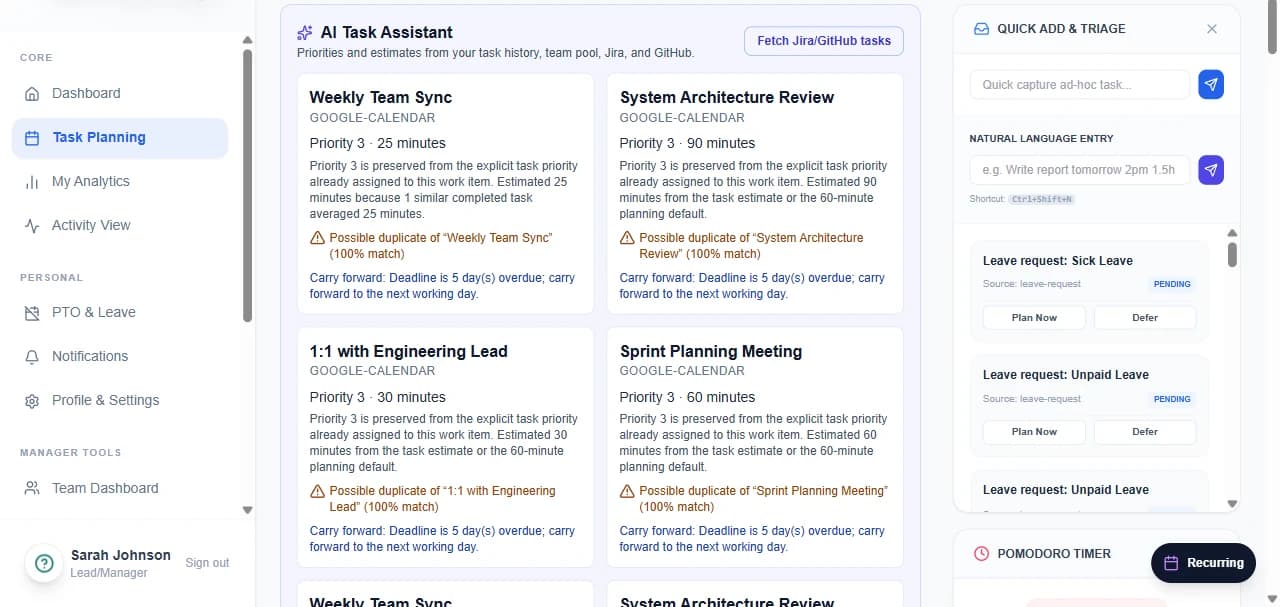
Planning is mandatory and blocking — there is always an intended plan to reconcile against. Tasks arrive by hand, by natural language, or from Jira, GitHub and calendar imports.
- Mandatory daily & weekly plan
- Day/week calendar planner
- Effort estimates & priorities
- Carryover of incomplete work
- Recurring tasks & templates
- Natural-language task entry
- Focus / Pomodoro sessions
- Team plan visibility
Activity & tracking
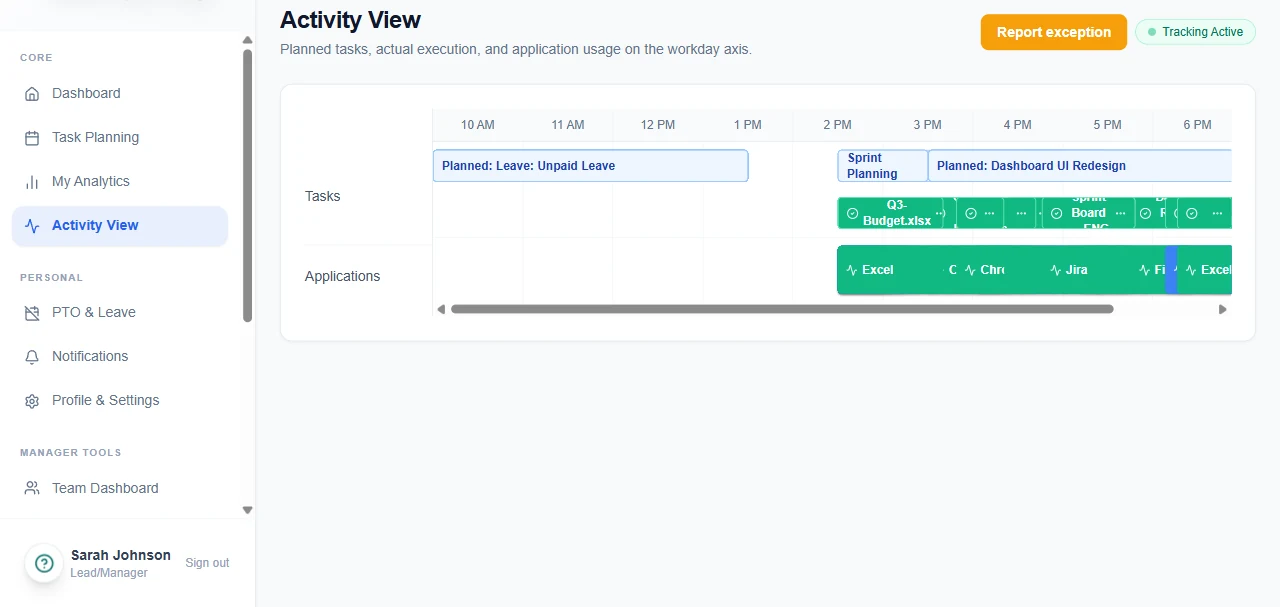
Capture runs across desktop, web and mobile, merged with integration events into a single chronological timeline — and every employee can see exactly what was recorded about them.
- Desktop, web & mobile capture
- Foreground app & window context
- Policy-controlled browser depth
- Idle & focus detection
- Offline-first encrypted queue
- Policy-triggered screenshots
- Pre-storage redaction
- Multi-monitor & VDI support
Reconciliation
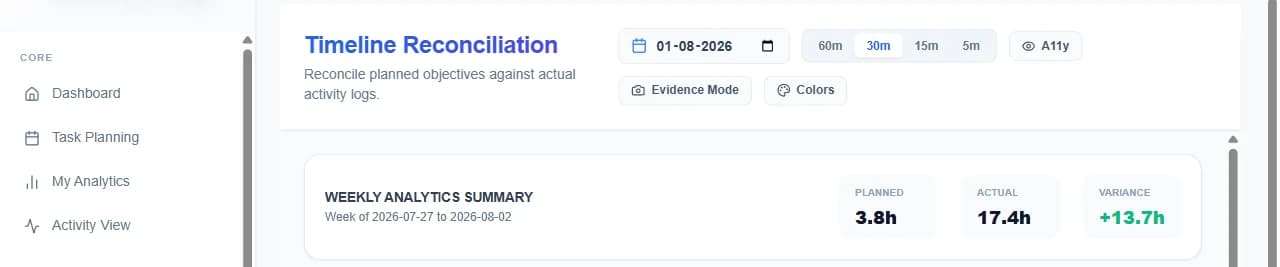
The planned-vs-actual timeline is the centre of the product. Variance is surfaced rather than absorbed, and every correction carries a before/after record into approval.
- Planned vs. actual timeline
- Mismatch highlighting
- Correction requests
- Before/after diffs
- Evidence mode for auditors
- Leakage & trend reporting
Approvals & governance
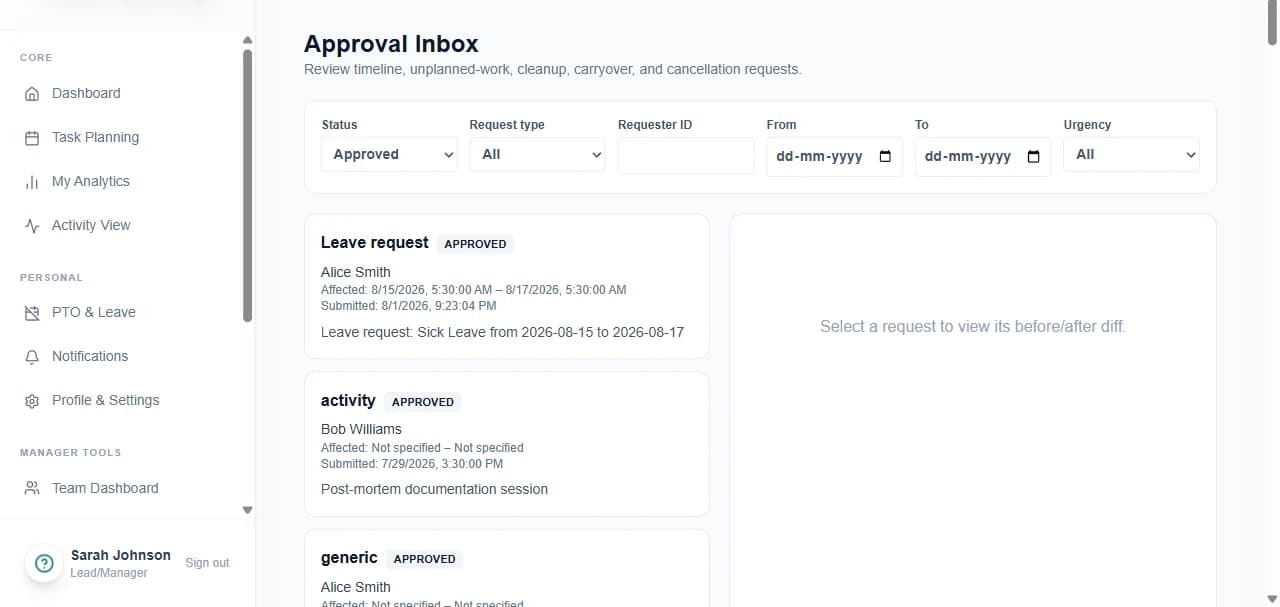
Timeline edits, unplanned work, leave, cleanup and deferral all route through one manager inbox, with SLA reminders, escalation and delegated cover.
- Manager approval workflow
- Delegated approvals
- SLA reminders & escalation
- Leave request workflow
- Policy editor with sandbox test
- RBAC & custom roles
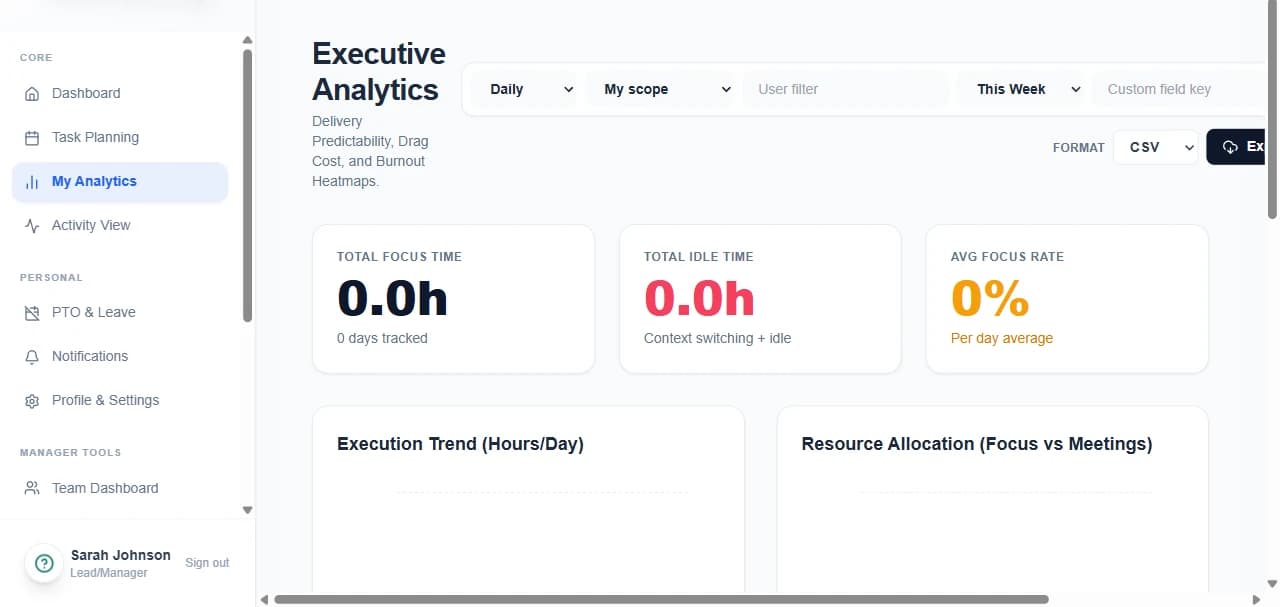
Analytics & AI
Personal and executive analytics with drill-down to individual task logs, plus an AI layer for suggestions, adaptive scheduling, capacity forecasting and burnout modelling.
- Productivity snapshots
- Effort leakage reporting
- Capacity & sprint planning
- Wellness & burnout signals
- Skills & competency intelligence
- AI next-best-action assistant
- Goal / OKR rollups
- Profitability & billable reports
Compliance & trust
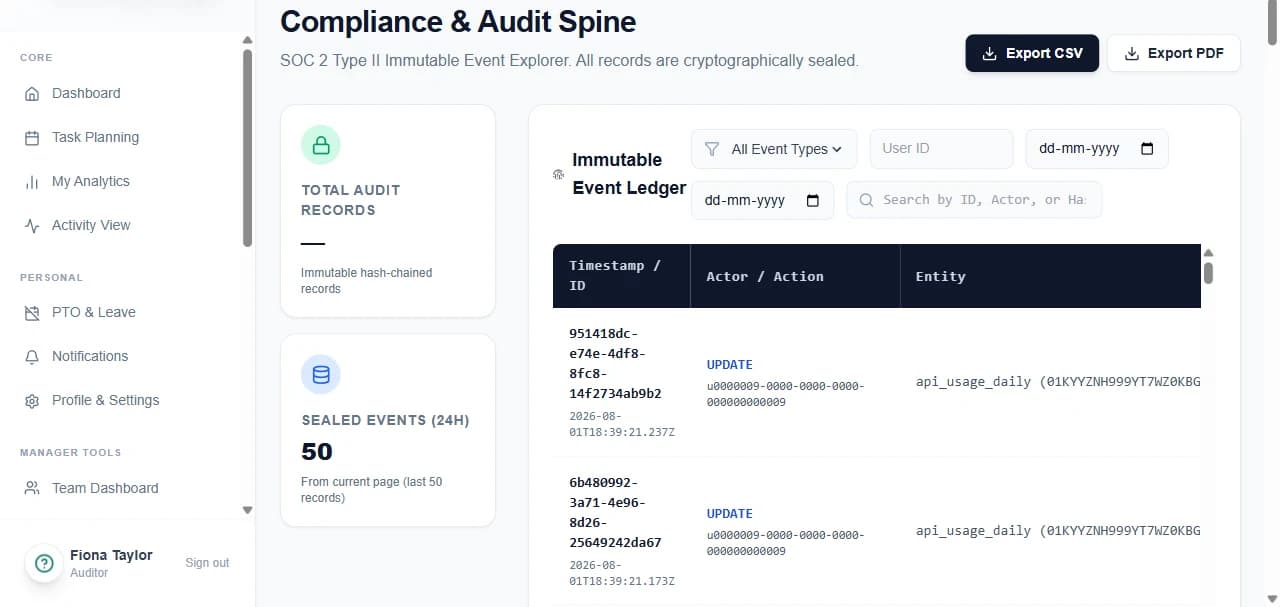
Evidence is produced as a by-product of how work is recorded — an append-only, hash-chained spine, plus the employee-facing transparency the whole model depends on.
- Employee Transparency Panel
- GDPR access/export/erasure
- Consent records & DPIA
- Legal hold & retention
- Tamper-evident audit spine
- SLA uptime evidence
Integrations & developer platform
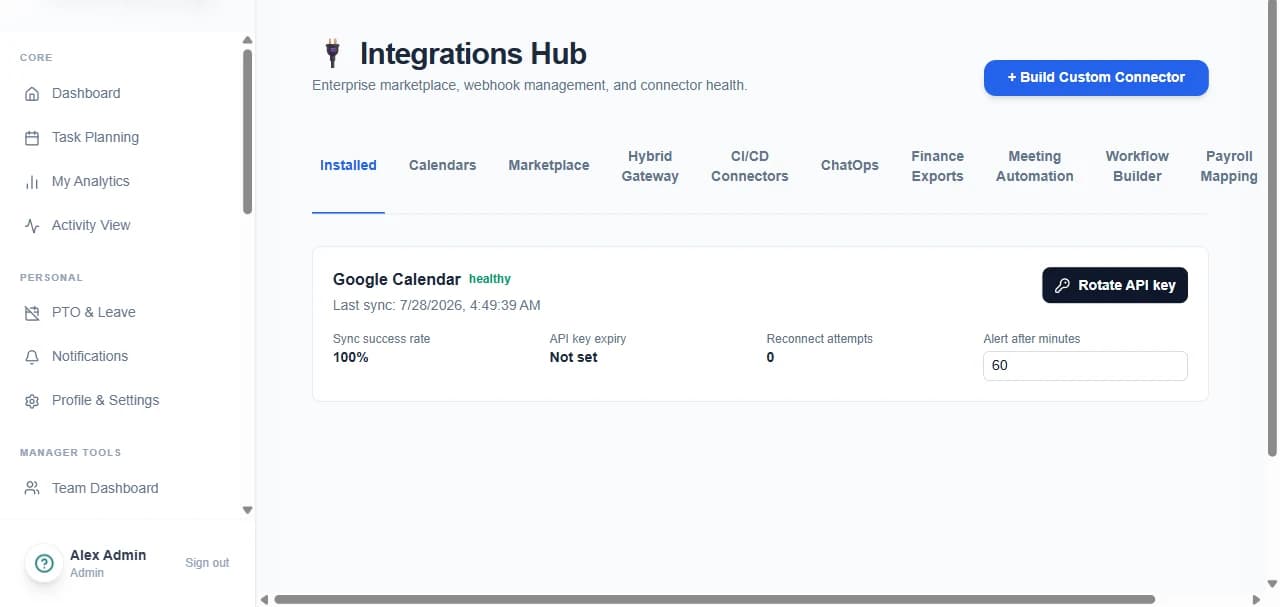
Native connectors for the tools work already happens in, a visual automation builder, and full API access so Chronum data flows into your own systems.
- REST & GraphQL APIs
- Native Jira / GitHub / Slack
- Calendar & payroll integrations
- Webhooks & SDKs
- BI connectors & warehouse export
- Visual workflow automation
Admin & deployment
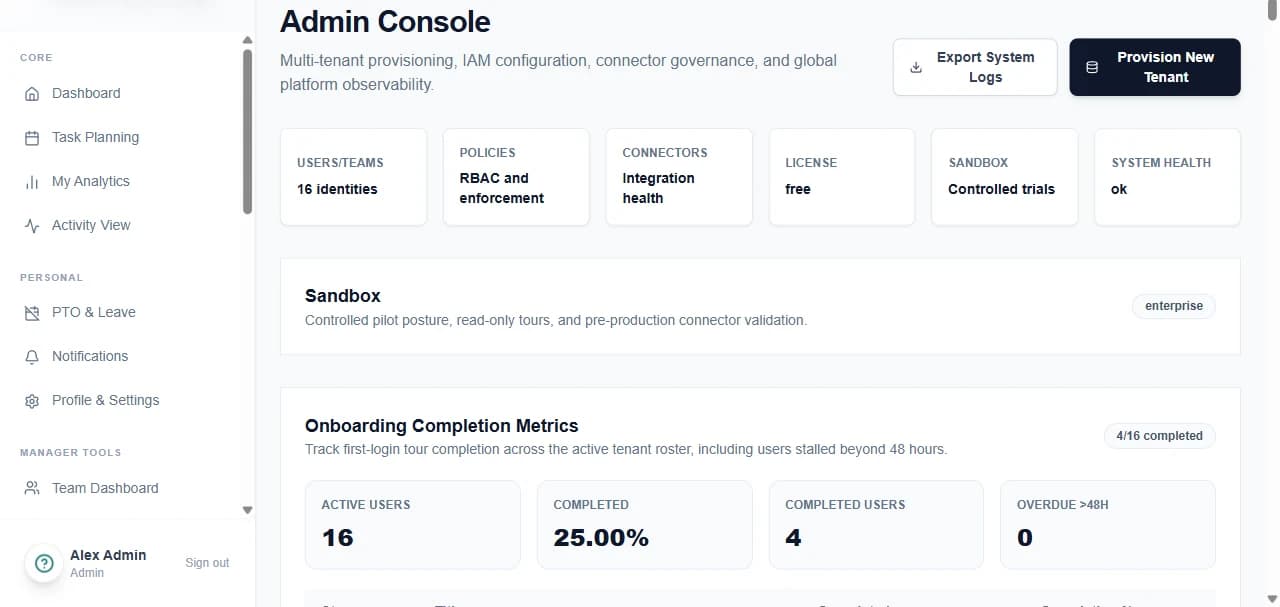
Identity, policy and tenancy controls for IT, with the same product deployable as SaaS, hybrid or fully on-premise from one codebase.
- SSO / MFA / session controls
- IP allowlisting
- SaaS, hybrid & on-prem
- Tenant branding
- Connector health monitoring
- Usage & licensing dashboard
The complete list
Every capability on one screen, for the reader who would rather scan than scroll.
Planning
- Mandatory daily & weekly plan
- Day/week calendar planner
- Effort estimates & priorities
- Carryover of incomplete work
- Recurring tasks & templates
- Natural-language task entry
- Focus / Pomodoro sessions
- Team plan visibility
Activity & tracking
- Desktop, web & mobile capture
- Foreground app & window context
- Policy-controlled browser depth
- Idle & focus detection
- Offline-first encrypted queue
- Policy-triggered screenshots
- Pre-storage redaction
- Multi-monitor & VDI support
Reconciliation
- Planned vs. actual timeline
- Mismatch highlighting
- Correction requests
- Before/after diffs
- Evidence mode for auditors
- Leakage & trend reporting
Approvals & governance
- Manager approval workflow
- Delegated approvals
- SLA reminders & escalation
- Leave request workflow
- Policy editor with sandbox test
- RBAC & custom roles
Analytics & AI
- Productivity snapshots
- Effort leakage reporting
- Capacity & sprint planning
- Wellness & burnout signals
- Skills & competency intelligence
- AI next-best-action assistant
- Goal / OKR rollups
- Profitability & billable reports
Compliance & trust
- Employee Transparency Panel
- GDPR access/export/erasure
- Consent records & DPIA
- Legal hold & retention
- Tamper-evident audit spine
- SLA uptime evidence
Integrations & developer platform
- REST & GraphQL APIs
- Native Jira / GitHub / Slack
- Calendar & payroll integrations
- Webhooks & SDKs
- BI connectors & warehouse export
- Visual workflow automation
Admin & deployment
- SSO / MFA / session controls
- IP allowlisting
- SaaS, hybrid & on-prem
- Tenant branding
- Connector health monitoring
- Usage & licensing dashboard
Which of these matters to you?
A pilot is the fastest way to find out. One team, a fortnight, your own work — and a planned-vs-actual record at the end of it.